Hardware · Keyboard and macro keypad

KNTKTable

A dedicated DAW keyboard with a macro keypad. Lit icon keys, your own pictures as icons, and MapMe, companion software that auto-maps to whatever you point it at.

KNTKTable film · 28 s · no sound

What it is

One device for your studio: a full keyboard and a block of macro keys that show what they do.

Dedicated DAW keyboard

Keyboard and macro keypad in one

A full-size keyboard layout with a macro keypad block of large keys. Transport, edit and your own commands sit under your hand, with the legends on the keys themselves.

LED colour and icons

Seven lighting colours, big icon legends

Each macro key has a programmable icon and a colour, so function and state read at a glance. Use your own pictures as icons if you like.

  • Red
  • Green
  • Blue
  • Yellow
  • Cyan
  • Magenta
  • White
Macro pad and split keypad

Modular accessories to match

A separate macro pad and a split keypad share the same keys, lighting and software, for a setup that fits your desk.

Made for your software

DAWs, plugins and DJ software

  • Ableton Live
  • Cubase
  • Logic Pro
  • VST3 · AU
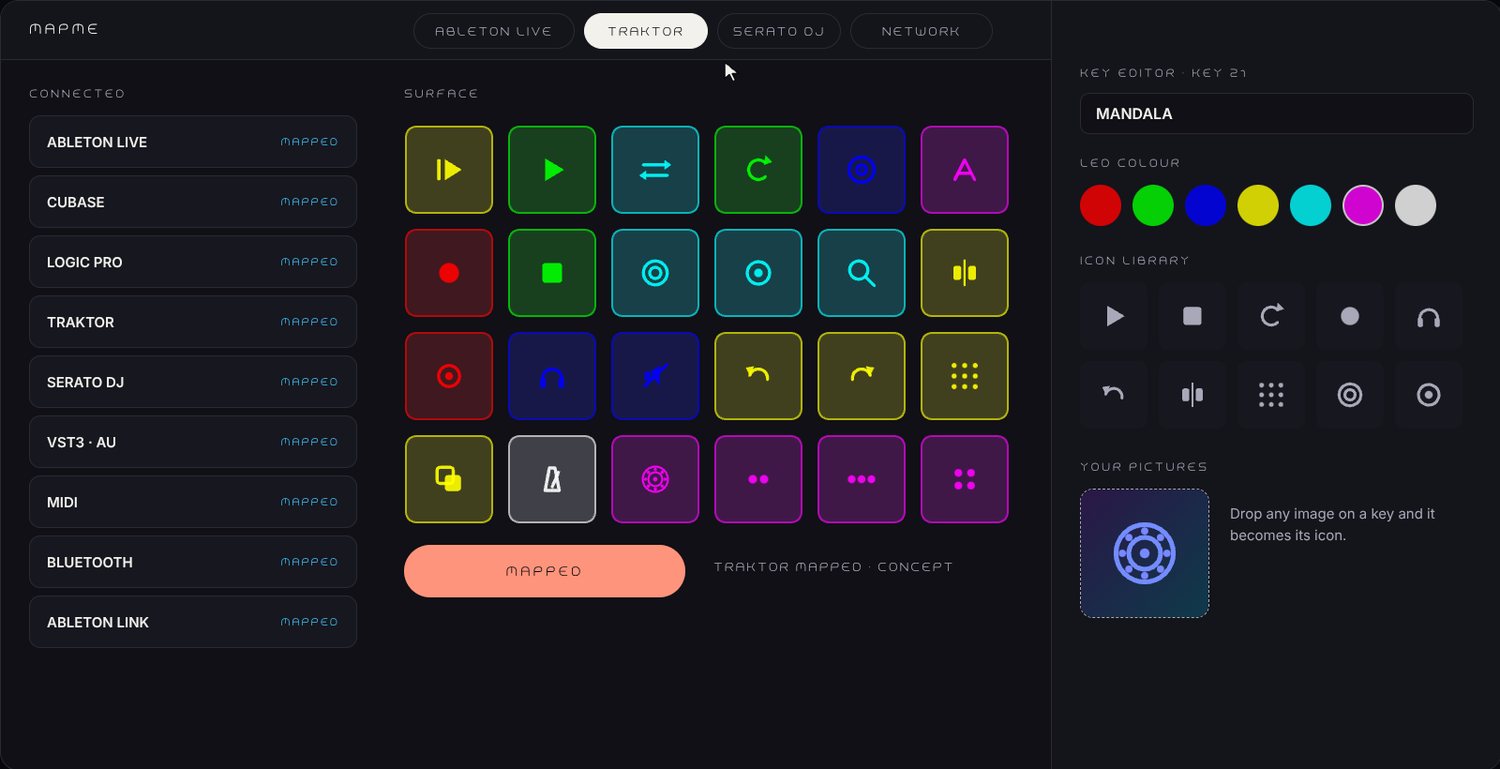
  • Traktor
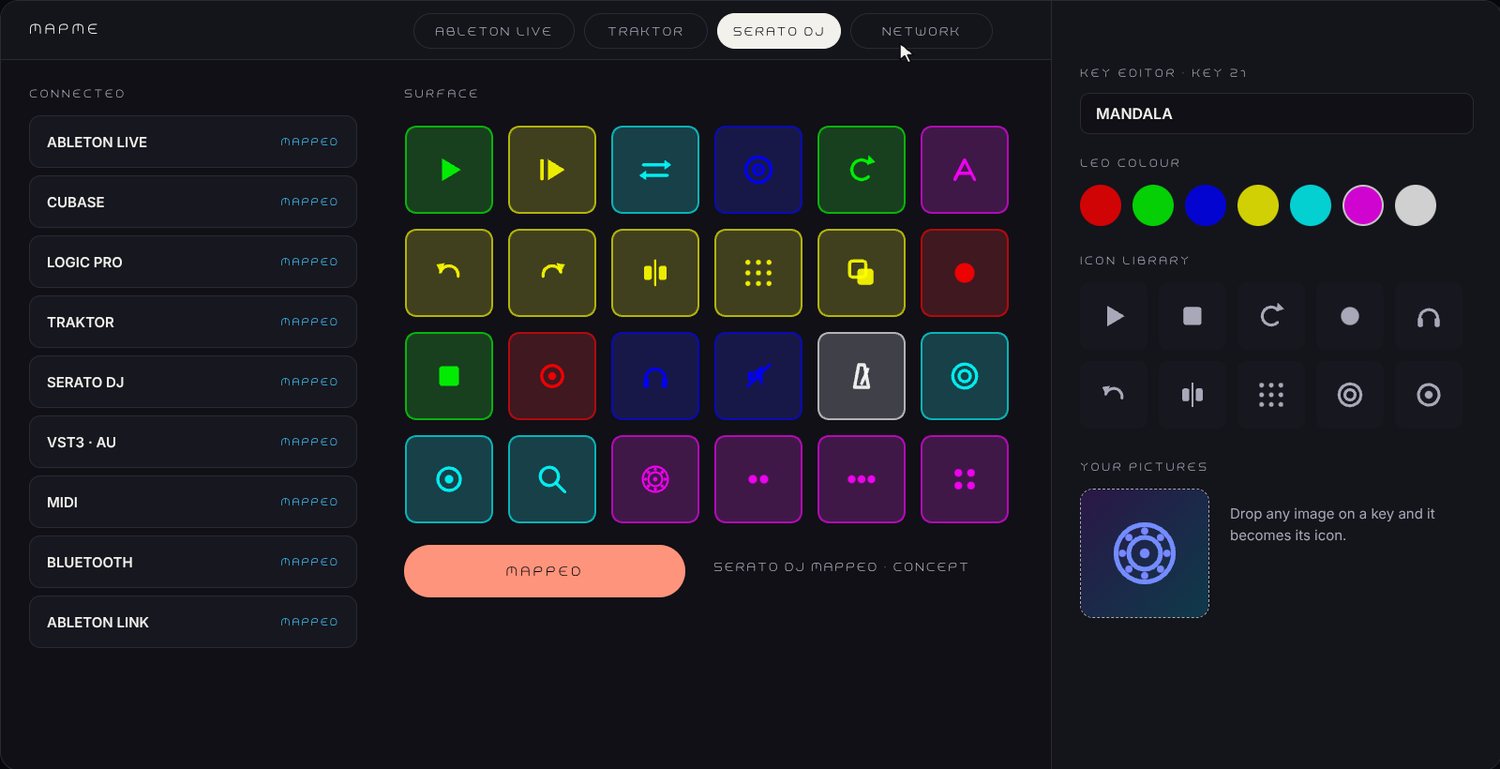
  • Serato DJ

Designed to work with these apps. Product names belong to their owners; no affiliation or endorsement is implied.

Connected

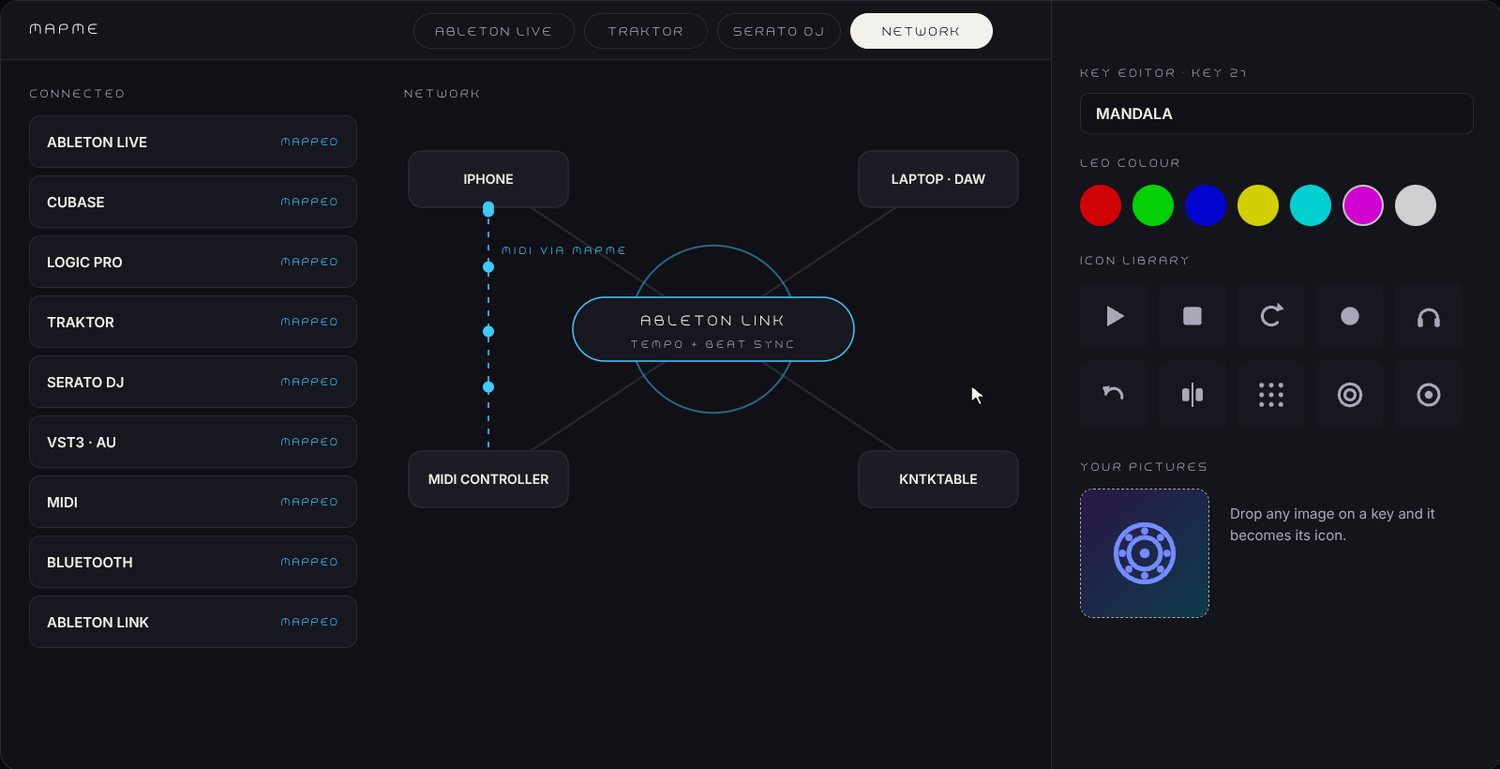
MIDI, Bluetooth and Ableton Link

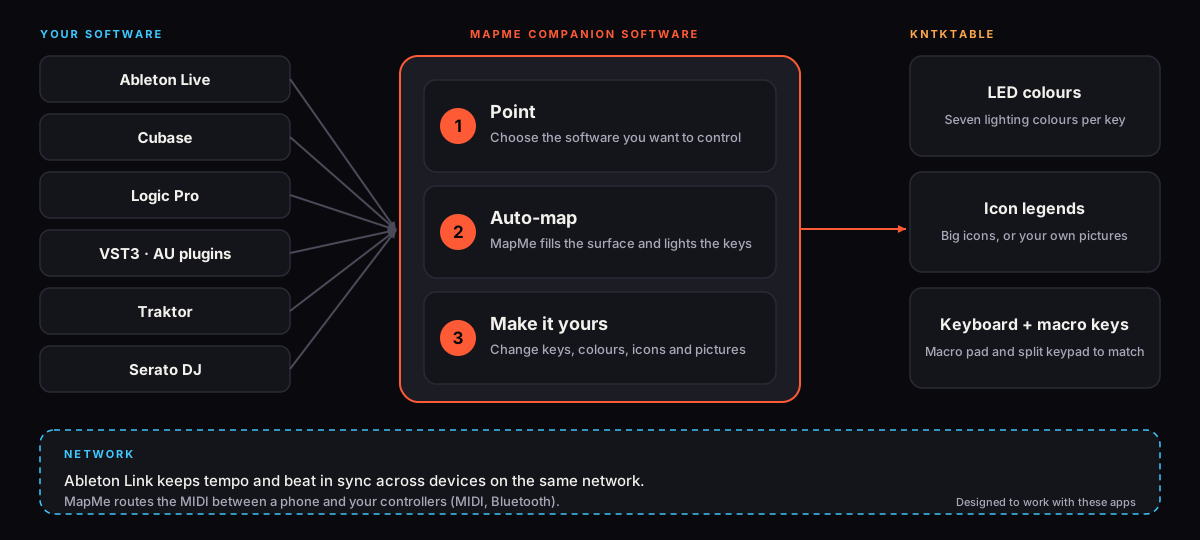
Ableton Link keeps tempo and beat in sync across devices on your network. MapMe can route MIDI between a phone and your controllers over the same network.

Companion software

MapMe

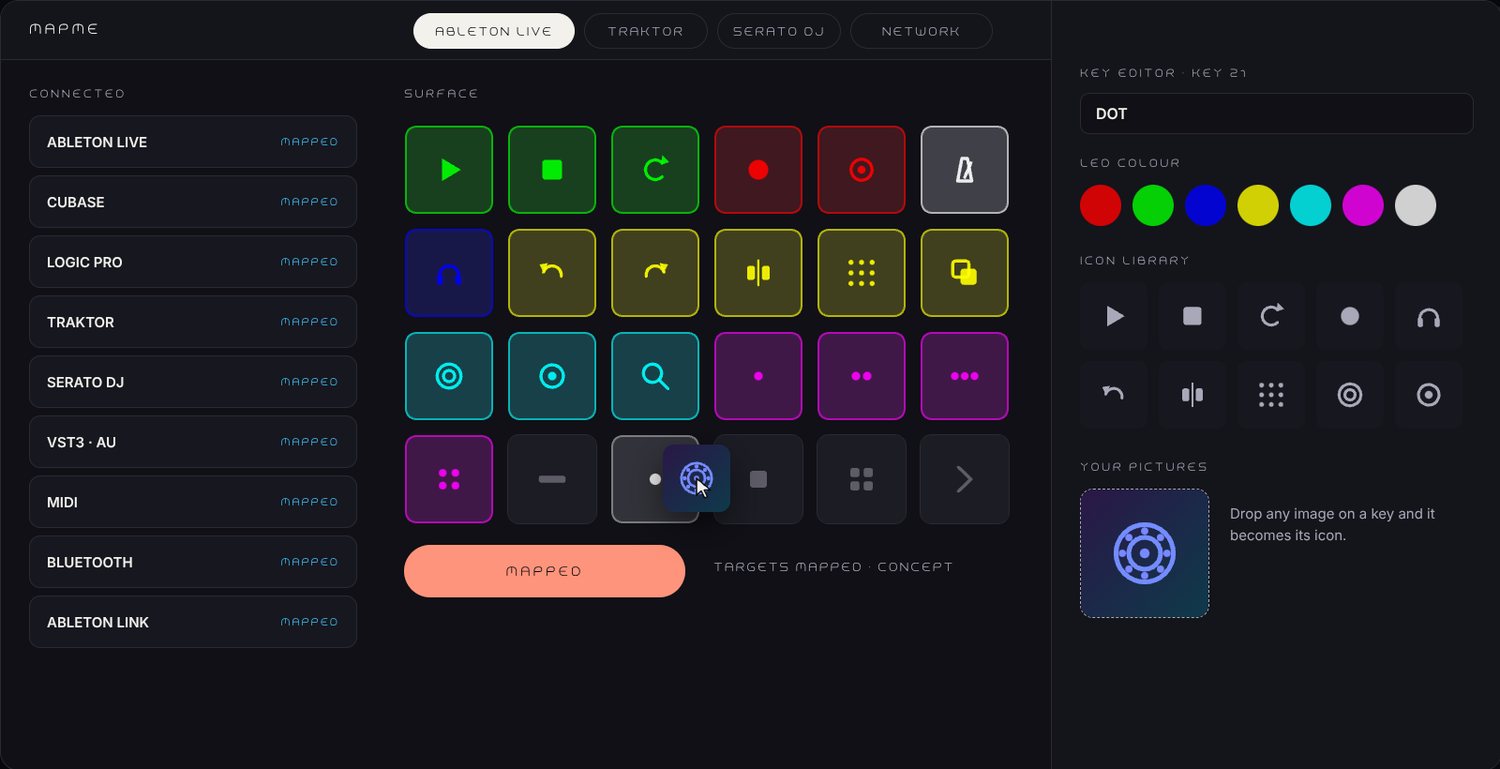
Point it at your DAW, plugin or DJ software and it auto-maps the keys. Then make it yours: click a key, choose its action, colour and icon.

Point

Choose what to control: a DAW, a plugin, or DJ software such as Traktor or Serato DJ.

Auto-map

MapMe fills the surface with a sensible layout and lights the keys to match.

Make it yours

Change any key, colour or icon. Drop in a picture to use as an icon. Keep one profile per app.
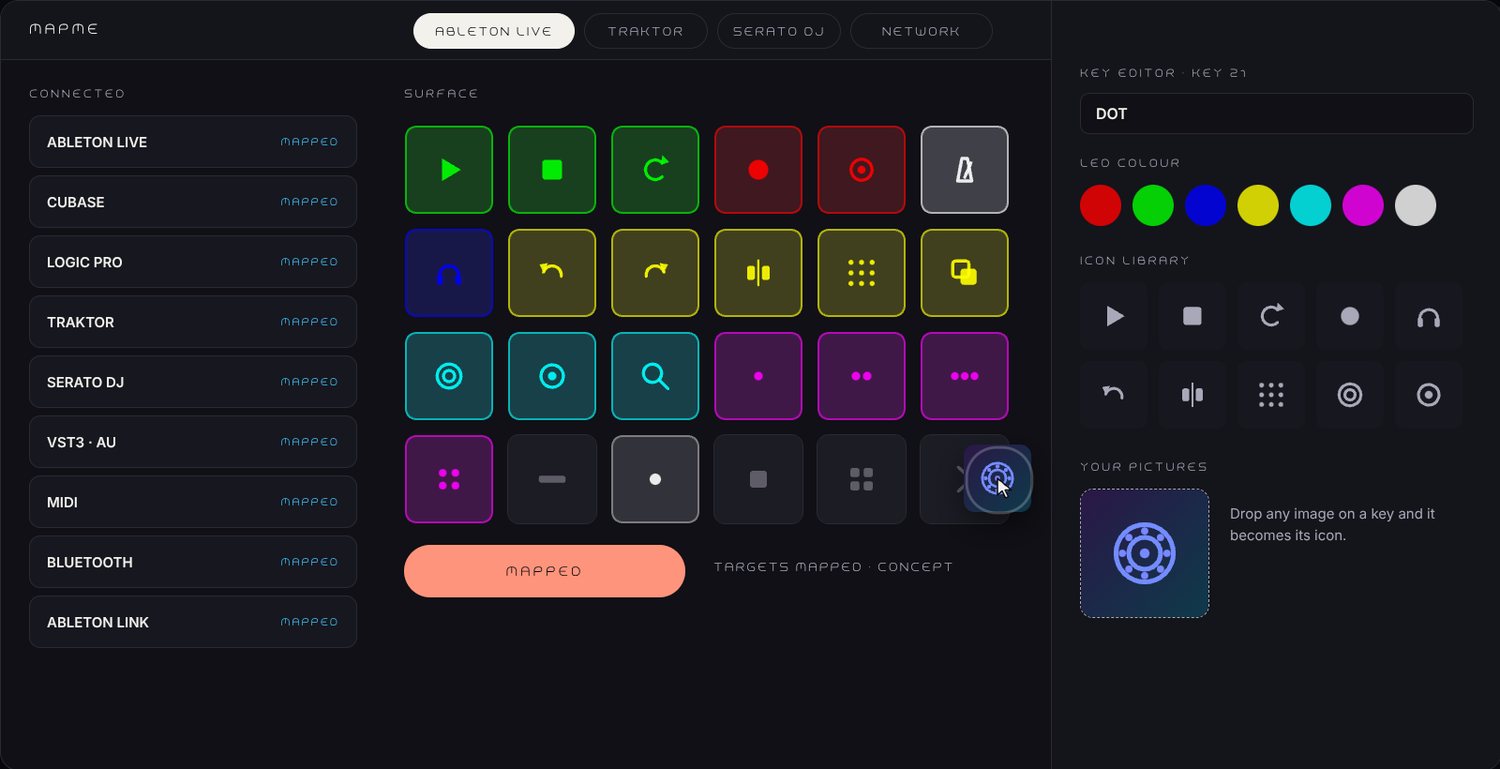
Screen of the MapMe app: a grid of lit icon keys, a device list and a key editor with colour and icon choices.
MapMe · the key surface
What it does

From your software to your keys

Flowchart: your software (Ableton Live, Cubase, Logic Pro, VST3 and AU plugins, Traktor, Serato DJ) goes through MapMe's three steps (point, auto-map, make it yours) to KNTKTable's lit keys. Below, Ableton Link and MIDI routing. Designed to work with these apps.

Get KNTKTable news

Availability and pricing will be announced here first.

See it

The film

Watch KNTKTable and MapMe working together in the film above.

MapMe

Point, auto-map, make it yours

The companion software that maps the keys to your DAW, plugin or DJ software.

Preview

Early access

People on the preview list hear first and are invited to try early builds.

Be in the preview

Get news on KNTKTable and MapMe, and invitations to try early builds.